A browser mixer for the Volt 4 audio interface
A website that controls the mixer inside a Universal Audio Volt 4 over WebHID, with nothing to install, and a desktop app on the same engine. I decoded the USB protocol from captures.
- tech stack
- my role
- Sole developer, with Claude Code alongside
- timeline
- 2026
- status
- Live website, desktop app 0.8.0
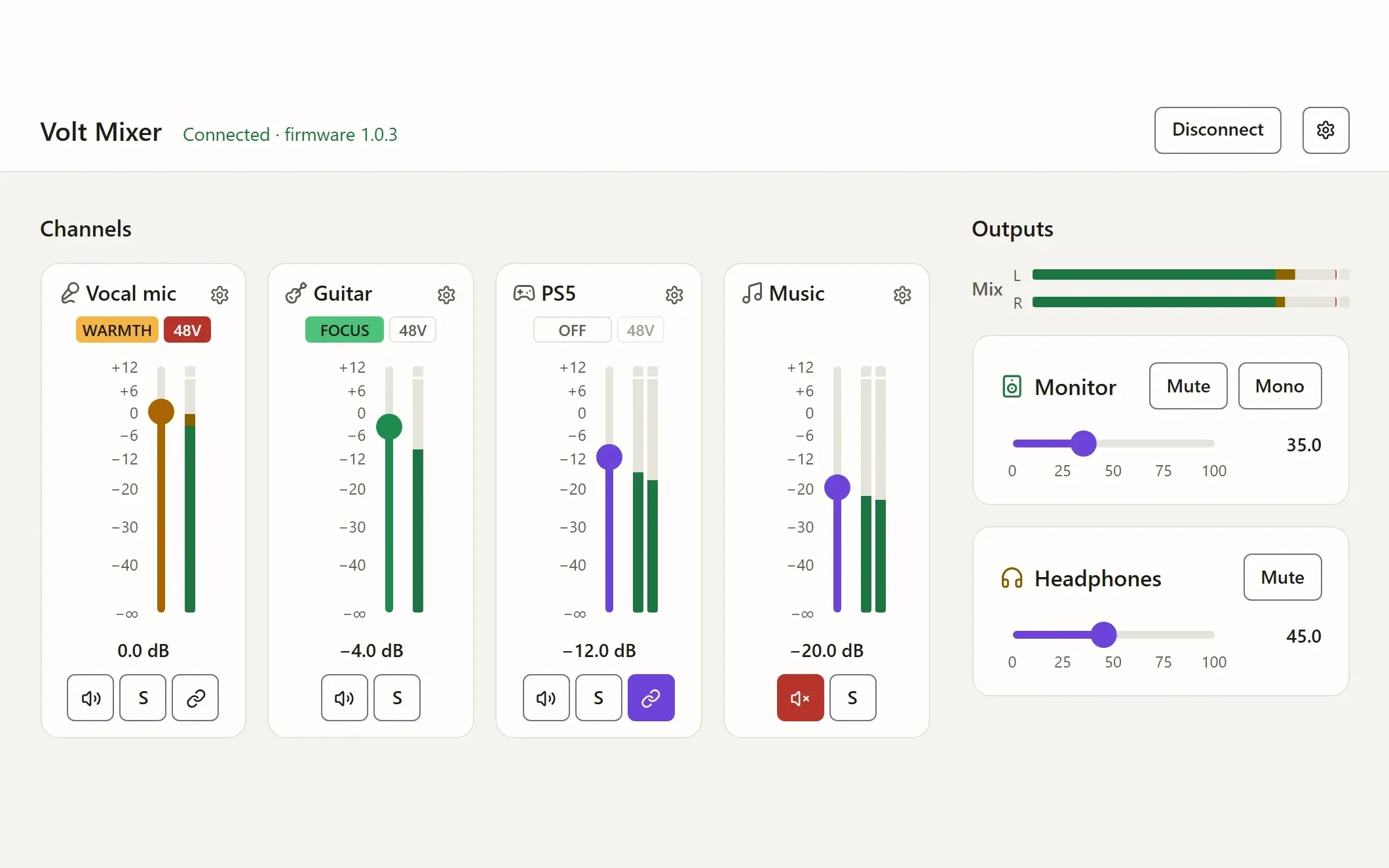
Volt Mixer controls the mixer inside a Universal Audio Volt 4 Gen 2 audio interface from a web page. I built it so I could set my levels from my work laptop without installing anything on it. It’s live on GitHub Pages (opens in new tab) , with a user guide (opens in new tab) , and the source is on GitHub (opens in new tab) under the MIT licence.
The problem
The Volt 4 has a small mixer built in: how loud each input is in the headphones and speakers, panning, mute and solo, preamp gain and 48V phantom power. UA’s way to change it is UAD Console, a desktop program. That’s fine at home, but I wanted to control the Volt from my work laptop too, without installing software on a work machine.
A web page needs no install, but UA doesn’t publish the Volt’s USB protocol, and a mixer drives speakers and headphones, where one wrong byte can be painfully loud. The browser was a constraint too. Only Chromium ships WebHID, the API that lets a page talk to a device like this, and the Volt’s MIDI port ignores SysEx, so Web MIDI was no way round it. Volt Mixer runs in Edge and Chrome, and Firefox and Safari get a clear message pointing there. It’s the one place I’ve let go of my usual rule that every browser gets the same experience, because no cross-browser route exists.
My approach
Decoding the protocol without guessing
I recorded the USB traffic while UAD Console changed each setting in turn, then decoded which bytes moved. A capture run mutes the outputs first, snapshots every setting, and puts them all back at the end. The results became the protocol as data, one entry per firmware, and the tests re-encode every decoded recording to prove the code still produces the same bytes.
The page sends only commands that were captured from Console and checked on the hardware. If a firmware’s data lacks a command the page needs, the page stays read-only.
Safety in the controls
The project’s first rule is that nothing raises a level the user didn’t move, and most of that rule lives in the interface:
- Linking a stereo pair in Console copies the left side to the right, which can turn the right up. Volt Mixer gives both sides the quieter side’s settings.
- On a fader, Home turns it off and End takes it to 0 dB wherever you start. On the monitor and headphone levels, End does nothing.
- The mouse wheel only moves a slider that has focus, so scrolling the page never changes a level.
- A finger sets a level only with a tap, so a swipe across a phone’s rows of sliders scrolls instead.
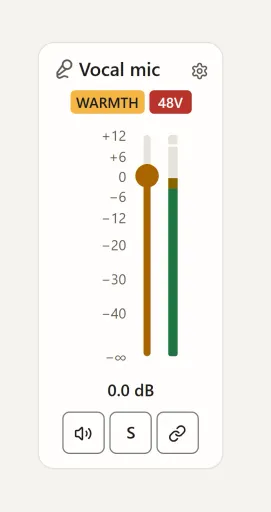
Each fader is a role="slider" element with a spoken value, so a screen reader hears “Vocal mic level, minus 6.0 decibels”. The arrow keys move half a decibel and Page Up and Page Down three, Tab follows each strip in the order it reads, and the layout holds at 320 CSS pixels wide, as WCAG 2.2 AA asks.
One engine, two homes
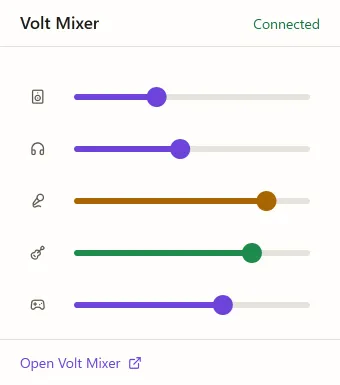
Everything between the Volt and the screen lives in an engine with no DOM: the state, every change, and what’s sent and when. On the website it runs in the page, with WebHID and the browser’s storage. The desktop app is the same site in Electron, for home computers, with a quick mixer in the taskbar and a phone remote on the home network. There the engine runs in the main process with node-hid. (Tauri would have made a smaller app, but its system web view can’t run this site’s code as it is.) Every change, from the page, the tray or a phone, is an intent applied in one place, so clamping and the linked-pair rules can’t differ from one view to another.
Carrying a mix without a server
The Volt reports almost everything except its mix: the fader, pan and cue-send positions. Like Console, each computer keeps its own copy and pushes it when it connects. To move one between computers there’s a mix link, a compact binary form of about 140 characters instead of 3,200, which can also show as a QR code for a phone to carry. It rounds levels down, so opening a link can never make anything louder. I ruled out a hosted relay: I wanted nothing to sign up for, and nothing new for the work laptop to reach.
Pacing a page full of sliders
Dragging one fader used to send about 275 reports a second to the Volt and keep nearly a whole CPU core busy, because the page let the screen decide how often everything happened and my benchmark machine has a 240 Hz display. To measure it without risking anyone’s ears, the bench runs the site in headless Edge against a fake Volt, with WebHID switched off.
I gave the device, the screen and the pointer each their own pace. Writes go at most every 20 ms. Changes in between merge so the latest value of each control wins, and the next batch waits for the one being written, so the queue never falls behind your hand. In its smallest form:
export function pacedWriter<T>(intervalMs: number, write: (batch: Map<string, T>) => Promise<void>) {
    let waiting = new Map<string, T>();
    let busy = false;
    let timer: ReturnType<typeof setTimeout> | undefined;
    let lastSent = -Infinity;

    async function send() {
        timer = undefined;
        if (busy || waiting.size === 0) return;
        const batch = waiting;
        waiting = new Map();
        busy = true;
        lastSent = performance.now();
        try {
            await write(batch);
        } finally {
            busy = false;
            if (waiting.size > 0) schedule();
        }
    }

    function schedule() {
        if (busy || timer !== undefined) return;
        timer = setTimeout(send, Math.max(0, lastSent + intervalMs - performance.now()));
    }

    return (control: string, value: T) => {
        waiting.set(control, value);
        schedule();
    };
}
The views draw once a frame, and only what a change touched. Meters update at most 30 times a second instead of on every refresh, and redraw only when they move a whole pixel. The slider’s handle and fill move with translate and scale, measured against the control as a size container, so a drag frame needs no layout except for the readout’s text:
.slider-control {
    --position: 0; /* 0 to 1, set by script */
    position: relative;
    container-type: size;
    block-size: 1.5rem;
}

.slider-fill {
    position: absolute;
    inset: 0;
    transform-origin: left;
    scale: var(--position) 1;
}

.slider-thumb {
    position: absolute;
    inline-size: 1.5rem;
    aspect-ratio: 1;
    translate: calc(var(--position) * (100cqi - 1.5rem)) 0;
}
The cost of size containment is that a control can’t size itself from its contents, so each one needs an explicit size: a block size here, a grid track for the vertical faders.
Challenges
A bug in the monitor level survived into firmware 1.0.5. The page encoded it as a single byte, so its slider reached only a fifth of the real volume and misread a level Console had set high. Every capture until then had moved that control only about 20% of the way, so its true maximum never appeared in the data, and it came to light only when a capture drove the knob to the top. The level is now a 16-bit value like the headphones’. Saved mixes don’t carry output levels, so the fix couldn’t make an old mix play louder.
I also had to take a feature back out. The website once kept its mix in step with the desktop app’s on the same computer. Both drive the same Volt, so taking the other’s mix meant sending it again, and that could land after a newer change and briefly play an older, louder level, so I removed it. Instead, readings of the Volt that a page didn’t ask for tell it another Volt Mixer is open, and the website pauses its mix and says so.
What it achieved
The website is live, and the desktop app is at 0.8.0 for Windows, macOS and Linux, though only Windows has been tried with a Volt so far. Firmware 1.0.3 and 1.0.5 are both verified. A user guide explains every control, and for anyone with a different Volt, the development guide walks through capturing and adding it, alone or with an AI agent.
The pacing work halved the website’s own work at idle, from 51 to 29 ms a second, and cut a drag from about 275 writes a second to 72. The desktop app gained more. With the engine in the main process, no page runs while the app sits in the tray: four processes instead of five, and 82 MB of private bytes instead of 245. Together with drawing in software, since a mixer page needs no GPU, that took a drag with the window open from 11% of the machine’s CPU to about 4%.
lesson learnt
Test the edges
Test the boundaries as well as the typical values. Bugs hide at the limits everyday use never reaches, and partial coverage can still look complete.